
Essential Networking Concepts for Interviews
- Network Definition: Understanding the concept of networks and their role in communication.
- Internet Overview: Exploring the Internet, its significance, and how it revolutionized global connectivity.
- Internet Origins: Tracing the origins and evolution of the Internet.
- IP Address Explanation: Defining IP addresses and their role in identifying devices on a network.
- Ports and Common Applications: Understanding ports and their importance in facilitating communication between applications and services.
- Server vs. Client: Differentiating between servers and clients in a network context.
- TCP vs. UDP: Comparing TCP (reliable) and UDP (fast) protocols and their respective use cases.
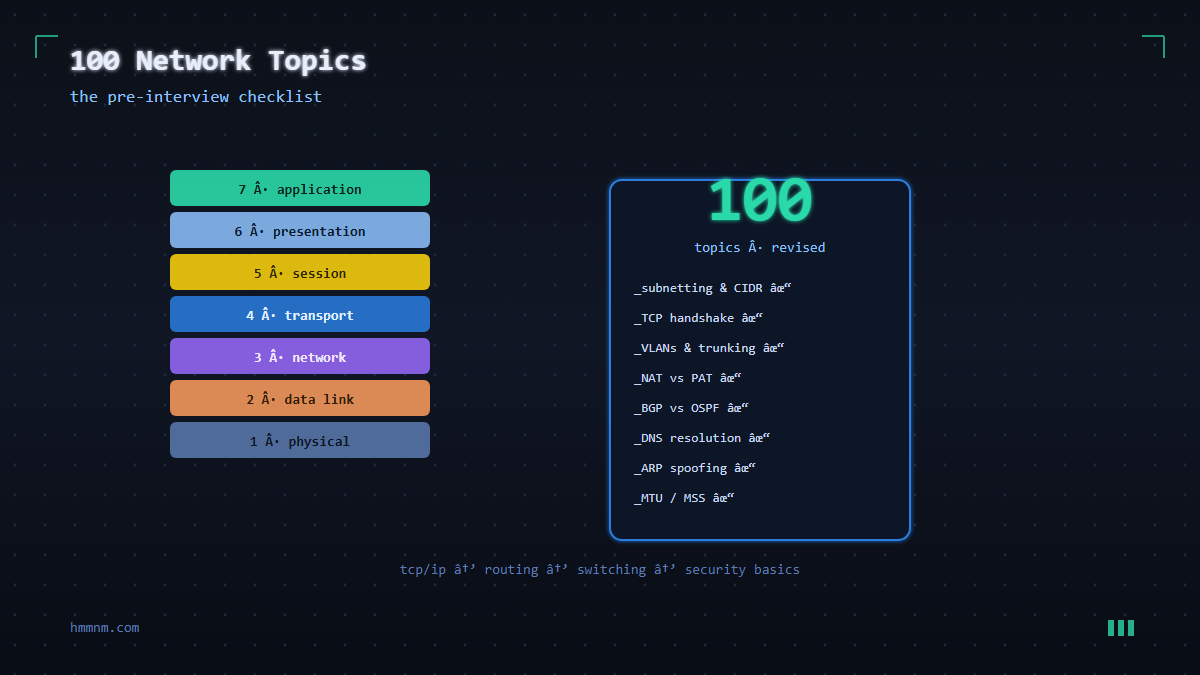
- OSI Layers Simplified: Breaking down the OSI model’s layers and their functions in networking.
- Traffic Flow and Decoding: Visualizing how traffic starts, traverses OSI layers, and gets decoded.
- TCP/IP vs. OSI: Comparing the TCP/IP networking model to the OSI model.
- Port Communication: Explaining how ports enable communication and the server-client dynamics.
- MAC/Physical Address: Defining MAC addresses and their significance in identifying hardware.
- Common Ports Usage:
TCP/IP Protocol Suite
OSI Model Concepts
- tcp/20, tcp/21: FTP data and control.
- tcp/22: SSH.
- tcp/23: Telnet.
- tcp/25: SMTP.
- udp/53: DNS.
- udp/67, udp/68: DHCP.
- udp/69: TFTP.
- tcp/80: HTTP.
- tcp/110: POP3.
- udp/123: NTP.
- tcp/143: IMAP4.
- udp/161: SNMP.
- tcp/389: LDAP.
- tcp/443: HTTPS.
- tcp/445: SMB.
- tcp/636: LDAPS.
- tcp/1720: VoIP (H.323).
- tcp/3389: RDP.
- tcp/5060, tcp/5061: VoIP (SIP).
- DNS Explained: Unraveling DNS (Domain Name System) and its resolution process.
- Recursive vs. Iterative DNS: Differentiating between recursive and iterative DNS resolution.
- DHCP Overview: Understanding DHCP (Dynamic Host Configuration Protocol) and its role in IP allocation.
- IP Allocation via DHCP: How DHCP servers allocate IP addresses to devices.
- Dynamic DHCP vs. Reservation: Comparing dynamic and reserved IP assignment in DHCP.
- SSL Defined: Defining SSL (Secure Sockets Layer) and its role in secure data transmission.
- Subnetting and Purpose: Explaining subnetting’s significance and role in efficient IP management.
- IP Class and Subnet Calculation: Understanding IP classes and calculating subnets.
- VPN Basics: Introduction to Virtual Private Networks and their use in secure remote connections.
- Network Devices Overview: Exploring common network devices like firewalls, load balancers, routers, switches, and hubs.
- ARP and RARP: Explaining Address Resolution Protocol (ARP) and Reverse ARP (RARP).
- Broadcast, Unicast, Multicast: Differentiating between broadcast, unicast, and multicast communication, along with their IP usage.
- LAN and : Common network performance metrics like latency, packet loss, and throughput.
- Fiber Optic Networks: Exploring the advantages and disadvantages of fiber optic networks over copper-based networks.
- Network Backup and Restore: Strategies for backing up and restoring network configurations, settings, and data.
- Network Traffic Management: Techniques for managing network traffic and prioritizing critical applications.
- Network Addressing and Subnetting: How network addressing and subnetting work together to allocate IP addresses efficiently.
- Network Anomalies: Detecting and mitigating network anomalies like Denial of Service (DoS) attacks and network congestion.
- Network Security Best Practices: Common security best practices for network infrastructure, including strong passwords, access control, and regular patching.
- Network Monitoring Policies: Establishing policies and procedures for network monitoring, including data retention and access control.
- Network Automation: Introduction to network automation and the use of tools like Ansible and Puppet for configuration management.
- Network Segmentation Best Practices: Best practices for segmenting networks to enhance security and isolate different departments or services.
- Network Performance Testing: Techniques for testing and measuring network performance, such as throughput and response time.
- Network Virtualization Technologies: Exploring technologies like VMware NSX and Cisco ACI for network virtualization. See also: Cisco Networking Docs.
- Network Capacity Planning: Strategies for planning network capacity to accommodate future growth and demands.
- Network Security Auditing: Conducting regular security audits to identify vulnerabilities and ensure compliance with security policies.
- Network Recovery Strategies: Developing strategies for recovering from network failures and outages, including backup power and redundancy.
- Network Monitoring Alerts and Notifications: Setting up alerts and notifications for network events and abnormalities.
- Network Access Control Lists (ACLs): Using ACLs to control access to network Resources, such as routers and firewalls.
- Network Performance Optimization Tools: Common tools for optimizing network performance, such as bandwidth analyzers and optimization software.
- Network Maintenance and Patching: Importance of regular network maintenance and patching to ensure security and performance.
- Network Security Incident Response: Developing an incident response plan to quickly and effectively address network security incidents.
- Network Design Principles: Principles and best practices for designing scalable and secure networks.
- Network Traffic Analysis: Techniques for analyzing network traffic patterns to identify potential security threats or performance issues.
- Network Monitoring Automation: Automating network monitoring tasks using tools like Nagios, Zabbix, or PRTG.
- Network Security Certifications: Overview of industry-recognized certifications for network security professionals, such as CCNA Security and CISSP.
- Network Auditing and Compliance: Ensuring network compliance with industry regulations, such as PCI DSS or HIPAA.
- Network Configuration Management: Tools and practices for managing and documenting network configurations.
- Network Performance Tuning: Techniques for optimizing network performance, such as adjusting buffer sizes and QoS settings.
- Network Analysis and Visualization: Using tools like Wireshark and Splunk to analyze and visualize network traffic patterns.
- Network Security Threats: Common network security threats, such as malware, phishing, and DDoS attacks.
- Network Disaster Recovery Planning: Developing a comprehensive plan for recovering from network disasters or major outages.
- Network Monitoring Best Practices: Implementing best practices for network monitoring, including real-time alerts, log analysis, and performance baselining.
Network Architecture & Design
TCP vs. UDP: Deep Comparison
Understanding when to use TCP versus UDP is one of the most fundamental networking concepts — and one of the most common interview questions. The difference isn’t just “reliable vs fast.” It’s about how each protocol handles data delivery.
TCP (Transmission Control Protocol) establishes a connection before sending data (the three-way handshake). It guarantees that every packet arrives in order, requests retransmission for lost packets, and implements flow control to prevent overwhelming the receiver. This makes TCP ideal for anything where data integrity matters: HTTP/HTTPS, SSH, FTP, email (SMTP/IMAP), and database connections.
UDP (User Datagram Protocol) sends packets without establishing a connection. There’s no handshake, no acknowledgment, no retransmission, and no guaranteed ordering. A packet that gets lost is simply gone. This sounds like a limitation, but it’s a feature — UDP’s minimal overhead makes it significantly faster and suitable for real-time applications where occasional packet loss is acceptable: DNS queries, video streaming, VoIP, online gaming, and SNMP monitoring.
The key interview insight: UDP is not “worse” than TCP. It’s a different tool for different requirements. When you need guaranteed delivery, use TCP. When you need low latency and can tolerate some loss, use UDP. Many modern protocols (QUIC, used by HTTP/3) combine UDP’s speed with application-level reliability, getting the best of both worlds.
TCP Handshake: The Complete Walkthrough
The TCP three-way handshake is the process two endpoints use to establish a connection before data transfer begins:
- SYN: The client sends a SYN (synchronize) packet to the server. This packet includes the client’s initial sequence number (ISN), which is randomly generated for security. The SYN flag is set, and the packet carries no data payload.
- SYN-ACK: The server responds with a SYN-ACK (synchronize-acknowledge) packet. This acknowledges the client’s SYN (ACK = client’s ISN + 1) and includes the server’s own ISN. Both the SYN and ACK flags are set.
- ACK: The client sends an ACK packet acknowledging the server’s ISN (ACK = server’s ISN + 1). At this point, both sides have agreed on sequence numbers and the connection is established. Data transfer can begin.
SYN Flood attacks exploit this process by sending thousands of SYN packets without completing the handshake. The server allocates resources for each half-open connection, eventually exhausting its connection table and becoming unable to serve legitimate requests. The defense: SYN cookies, which encode state information in the initial sequence number of the SYN-ACK, allowing the server to verify legitimate clients without allocating resources until the ACK arrives.
DNS Resolution: The Full Journey
When you type hmmnm.com in your browser, a multi-step resolution process occurs before any network request is made:
- Browser cache: The browser checks its own DNS cache. If it recently resolved hmmnm.com and the TTL hasn’t expired, it uses the cached IP address. No network request needed.
- OS cache: The operating system maintains its own DNS cache (viewable with
ipconfig /displaydnson Windows orsystemd-resolve --statisticson Linux). - Recursive resolver: If the answer isn’t cached locally, the request goes to the configured DNS resolver (usually your ISP’s resolver, or a public one like 8.8.8.8 or 1.1.1.1). This resolver performs the full resolution on your behalf.
- Root nameserver: The recursive resolver queries one of the 13 root server clusters. The root server doesn’t know hmmnm.com’s IP, but it directs the resolver to the .com TLD nameserver.
- TLD nameserver: The .com TLD server doesn’t know the IP either, but it directs the resolver to the authoritative nameserver for hmmnm.com (typically managed by the domain’s DNS hosting provider).
- Authoritative nameserver: This is the final stop. The authoritative server returns the A record (IPv4 address) or AAAA record (IPv6 address) for hmmnm.com. The recursive resolver caches the result and returns it to your browser.
Common DNS record types: A (IPv4 address), AAAA (IPv6 address), CNAME (alias to another domain), MX (mail server), TXT (text data, used for SPF/DKIM/DMARC), NS (nameserver), SOA (zone information), and SRV (service location, used by SIP and Active Directory).
Subnetting: CIDR and Network Calculation
Subnetting divides a large network into smaller, more manageable segments. CIDR (Classless Inter-Domain Routing) notation expresses this as a prefix length: /24 means the first 24 bits are the network portion, leaving 8 bits for hosts.
Practical examples:
- 192.168.1.0/24 — Network: 192.168.1.0, Broadcast: 192.168.1.255, Usable hosts: 192.168.1.1 to 192.168.1.254 (254 hosts)
- 10.0.0.0/16 — Network: 10.0.0.0, Usable hosts: 10.0.0.1 to 10.0.255.254 (65,534 hosts)
- 172.16.0.0/28 — Network: 172.16.0.0, Usable hosts: 172.16.0.1 to 172.16.0.14 (14 hosts)
The formula: for a /n network, the number of usable hosts is 2^(32-n) – 2 (subtracting the network address and broadcast address). Subnet masks in decimal: /24 = 255.255.255.0, /16 = 255.255.0.0, /28 = 255.255.255.240.
VLANs: Security Through Segmentation
Virtual LANs (VLANs) divide a single physical switch into multiple logical networks. Devices on different VLANs cannot communicate directly — traffic must pass through a router or Layer 3 switch, which can enforce access control policies.
Why this matters for security: Without VLANs, every device on a flat network can see every other device’s traffic (via ARP spoofing) and attempt to connect to every service. With VLANs, a compromised IoT device on the guest VLAN cannot reach servers on the management VLAN.
VLAN hopping attacks attempt to bypass this isolation. The double tagging attack sends a frame with two 802.1Q tags — the outer tag is stripped by the first switch (which thinks the frame belongs to the attacker’s native VLAN), and the inner tag is processed by the second switch, placing the frame on the target VLAN. The switch spoofing attack configures an attacker’s machine to negotiate a trunk link with the switch, gaining access to all VLANs. Defenses: disable DTP (Dynamic Trunking Protocol), configure ports as access ports rather than trunk ports, and use VLAN ACLs (VACLs) to enforce inter-VLAN policies.
Firewalls: Stateful vs Next-Gen
Stateless firewalls filter packets based on individual rules — source IP, destination IP, port, and protocol. Each packet is evaluated independently. They’re fast but can’t track connection state, making them vulnerable to certain attacks like ACK scanning.
Stateful firewalls maintain a connection table. When a SYN packet initiates a connection, the firewall records it. Subsequent packets in that connection (SYN-ACK, ACK, data) are allowed because they match an established entry. Return traffic is automatically permitted. This prevents many attacks that stateless firewalls can’t: a stateful firewall won’t accept an unsolicited SYN-ACK because no corresponding SYN was sent.
Next-Generation Firewalls (NGFW) add deep packet inspection, application awareness (identifying traffic as “Facebook” or “BitTorrent” regardless of port), built-in IDS/IPS, TLS inspection, and threat intelligence feeds. They can block specific applications, detect malware in downloads, and correlate events across multiple sessions. The tradeoff: significantly higher cost and complexity, and TLS inspection requires managing certificate infrastructure.
NAT: How It Works and Why It Breaks Things
Network Address Translation allows multiple devices on a private network to share a single public IP address. When a device on 192.168.1.10 sends a request to the internet, the NAT router replaces the source IP with its public IP and records the mapping. When the response arrives, the router reverses the translation and forwards it to the correct internal device.
Types of NAT: Static NAT maps a single private IP to a single public IP (used for servers). Dynamic NAT maps private IPs to a pool of public IPs. PAT (Port Address Translation), also called NAT overload, maps multiple private IPs to a single public IP using different source ports — this is what most home routers do.
Why NAT breaks protocols: Protocols that embed IP addresses in the payload (FTP active mode, SIP, IPsec in some configurations) break because NAT only translates addresses in the IP header, not in the application data. NAT traversal solutions include STUN (Session Traversal Utilities for NAT) for discovering public IP and port mapping, TURN (Traversal Using Relays around NAT) for relaying traffic through a server when direct connectivity isn’t possible, and ICE (Interactive Connectivity Establishment) for selecting the best connectivity method.
Conclusion
Networking is the backbone of cybersecurity, and mastering these 100 topics will give you a solid foundation for any technical interview. From understanding how packets traverse the OSI model to configuring firewalls and diagnosing routing issues, each concept builds on the last. The key is not just memorizing definitions but understanding how and why these protocols and technologies work together.
Focus your preparation on the areas most relevant to the role you are targeting. A DevOps engineer should know Docker networking and Kubernetes services inside out. A security analyst should understand TLS handshakes, DNS security, and firewall configurations. A penetration tester needs deep knowledge of TCP/IP, ARP, and NAT traversal techniques.
Practice with real tools: set up Wireshark on your home network, configure iptables on a Linux VM, and experiment with nslookup and traceroute. Hands-on experience with these concepts will set you apart from candidates who only studied theory. Good luck with your interview.
Reference: IETF RFC Library
Part of our security library series.